
Introduction
Businesses have spent years automating individual tasks.
Invoices are scanned automatically. Customer queries are routed through chatbots. Employee data moves between HR systems. Reports are generated without someone manually pulling information together.
But automating a task does not necessarily automate the process around it.
An invoice may be captured automatically but still wait for manual validation and approval. A claim may enter a system digitally but still move between teams through email. A customer request may be logged instantly but still require someone to gather information from multiple applications before it can be resolved.
That is where Intelligent Process Automation goes further.
IPA connects automation, artificial intelligence, machine learning, Intelligent Document Processing (IDP), Optical Character Recognition (OCR), Natural Language Processing (NLP), analytics, business rules, and system integrations to automate a process from input to outcome.
The opportunity is not simply to ask:
“What task can we automate?”
It is to ask:
“Where does a business process slow down, require repeated manual effort, or lose information between systems and people?”
That is where IPA can create meaningful value.
What Intelligent Process Automation Actually Changes
Traditional automation is often designed around one activity.
IPA looks at the complete workflow.
A typical process can move through:
Capture → Understand → Validate → Decide → Execute → Monitor
Consider invoice processing.
The system can capture an invoice, extract information using IDP and OCR, validate it against a purchase order and delivery receipt, route it for approval, create payment instructions, and track the status of the transaction.
The automation is therefore not one bot completing one task. It is a connected workflow involving information, business rules, systems, decisions, and people.
This makes IPA especially relevant where processes involve:
- high transaction volumes
- documents or unstructured information
- multiple systems
- repetitive business rules
- frequent approvals and handoffs
- compliance requirements
- manual reconciliation
- measurable delays or errors
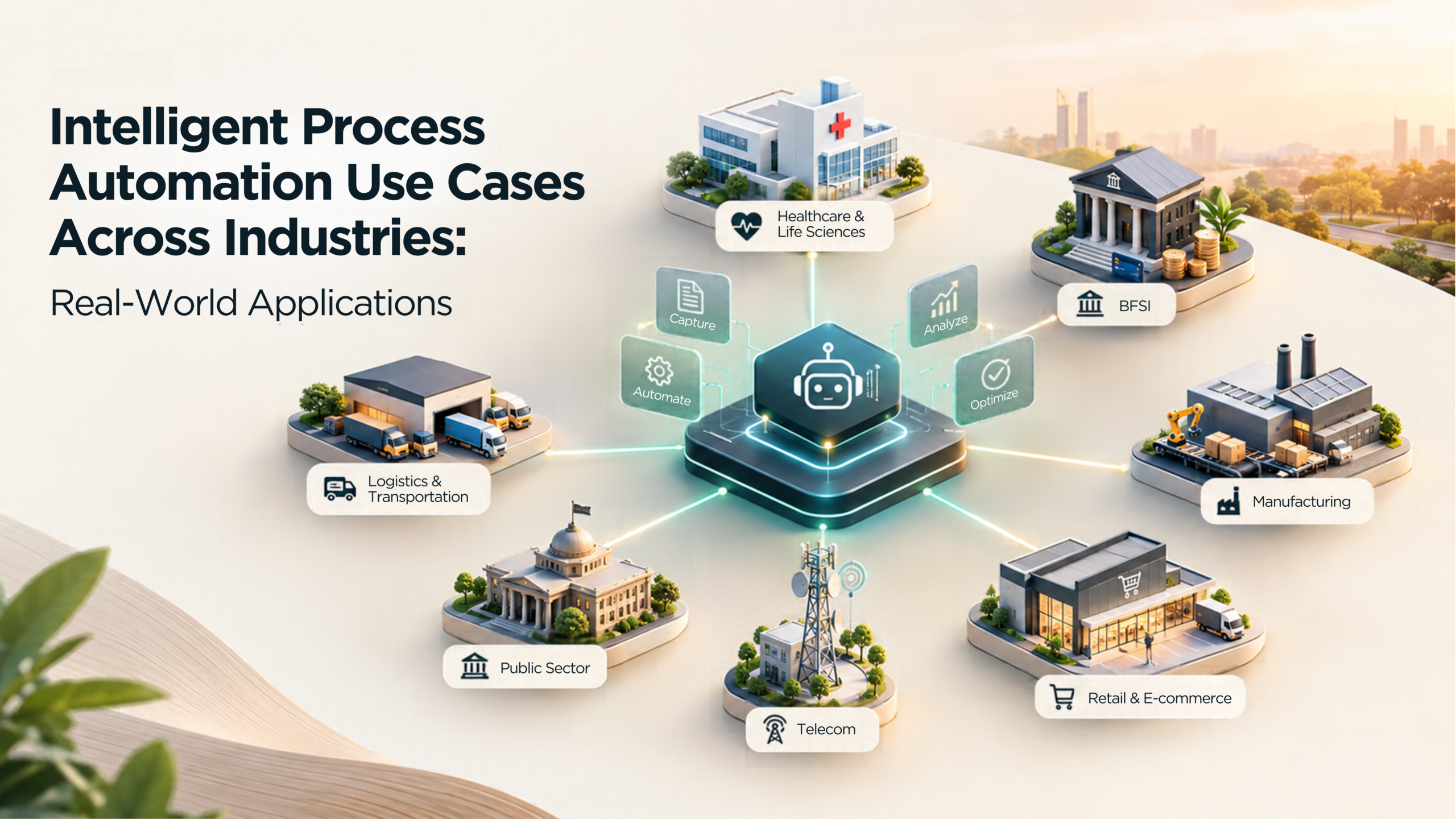
The technology changes from industry to industry, but the underlying pattern is often the same.
1. BFSI: Where Documents, Rules and Approvals Meet
Banking, financial services, and insurance processes frequently combine large transaction volumes with documents, compliance checks, approvals, risk rules, and customer communication.
That makes them natural candidates for connected automation.
Account Opening and Customer Onboarding
Opening an account requires customer information, identity documents, KYC checks, validation, and compliance approval.
IPA can connect document extraction, identity verification, validation, KYC workflows, and risk assessment into one process.
The result is less manual document handling, faster processing, and more consistent execution of compliance requirements.
Loan Processing
Loan applications move through data collection, validation, credit assessment, policy checks, approval, and disbursement.
IPA can automate information extraction, validate application data, support credit-scoring processes, apply predefined rules, and move the application through the required workflow.
Instead of teams repeatedly moving data between systems, the process becomes more structured and easier to monitor.
Claims and Underwriting
Insurance underwriting and claims processing both depend heavily on information collected from multiple documents and systems.
IPA can help extract and validate data, route documents, support risk assessment, automate status updates, and move cases through defined workflows.
Human teams can then spend more time on complex cases and exceptions rather than repetitive processing.
Fraud Detection
Automation can also support ongoing risk monitoring.
AI and machine-learning models can analyze transactions or claims, identify unusual patterns, assign risk scores, and generate alerts for further review.
The objective is not to remove human judgment. It is to help teams identify potentially high-risk activity earlier.
2. Healthcare: Connecting Administrative Work Around Care
Healthcare organizations manage far more than clinical activity.
Claims, scheduling, follow-ups, pharmacy operations, documentation, compliance, procurement, and supply chains all involve repetitive administrative work.
Appointment and Follow-Up Management
Appointment requests require checking availability, confirming schedules, communicating changes, and sending reminders.
IPA can automate booking, confirmations, schedule updates, and follow-up communication.
This reduces administrative effort while improving continuity across the patient journey.
Claims Processing
Surgical and healthcare claims require information to be collected from records, validated, and submitted to insurance providers.
IPA can automate extraction, validation, claim generation, submission, and status tracking.
That can reduce repetitive data entry and improve the speed and consistency of reimbursement workflows.
Pharmacy Operations
Pharmacies manage prescriptions, orders, inventory, refills, expiry dates, and supplier activity.
Automation can monitor inventory, generate low-stock alerts, trigger replenishment, support order fulfilment, and track expiry dates.
Instead of managing these activities independently, IPA can connect them into a more visible operational workflow.
Compliance and Documentation
Healthcare organizations must maintain documentation and continuously monitor regulatory requirements.
IPA can support regulatory tracking, documentation management, audit-report generation, and record completeness.
This gives teams greater visibility into compliance activity and potential exceptions.
3. Retail and E-Commerce: Connecting Inventory, Orders and Customers
Retail operations depend on speed.
Inventory availability, order processing, customer communication, pricing, fulfilment, and supply chains often need to react in near real time.
Inventory Management
Appointment requests require checking availability, confirming schedules, communicating changes, and sending reminders.
IPA can automate booking, confirmations, schedule updates, and follow-up communication.
This reduces administrative effort while improving continuity across the patient journey.
Order Processing
An order may need to be captured, validated, checked against inventory, entered into fulfilment systems, prepared for shipping, and communicated to the customer.
IPA can connect these steps, update relevant systems, generate shipping information, and provide status notifications.
This reduces manual handoffs between order management and fulfilment.
Customer Service
Many service requests involve predictable questions around availability, order status, returns, and account information.
AI-powered assistants can respond to routine queries while automation retrieves relevant information from connected systems.
Human teams can then focus on situations requiring judgment or deeper customer support.
Pricing and Supply Chain
IPA can also support pricing and supply-chain decisions by continuously analyzing operational data.
Businesses can monitor demand, inventory, competitor information, supplier activity, transportation, and other factors and trigger actions when predefined conditions are met.
4. Manufacturing: From Orders to Maintenance and Logistics
Manufacturing adds another layer to automation: physical operations.
Orders, procurement, invoices, maintenance, logistics, after-sales service, and equipment performance all need to work together.
Order Booking and Processing
Orders often arrive through multiple channels and formats.
IDP, OCR, and NLP can extract order details, validate them against existing records, and enter the information into business systems.
IPA can then continue the workflow by checking inventory, validating pricing, updating stock, and sending confirmations.
Invoice Automation
Invoice processing typically involves information extraction, purchase-order matching, delivery validation, approvals, and payment initiation.
IPA can connect these steps into one workflow using IDP, OCR, validation rules, and automated approvals.
The result is less repetitive entry and more consistent accounts-payable processing.
Maintenance and Predictive Maintenance
Automation can create scheduled maintenance work orders and reminders.
When equipment generates sensor and performance data, IPA can go further by analyzing patterns, generating alerts, recommending corrective action, and triggering maintenance activity.
This helps teams identify potential issues earlier rather than waiting for equipment failure.
Logistics and After-Sales Support
IPA can integrate with logistics systems to track shipments, monitor delivery information, and update relevant systems automatically.
The same approach can support warranty claims, service requests, support tickets, and customer feedback.
5. Enterprise Operations: IPA Beyond Industry-Specific Processes
Not every useful automation is industry specific.
HR, finance, administration, and employee lifecycle processes also contain large volumes of repetitive and rule-driven work.
Recruitment
IPA can compare candidate information against role requirements, support screening, manage interview stages, and automate selection or rejection communication.
Recruiters receive a more structured workflow while spending less time on repetitive coordination.
Employee Onboarding
Onboarding often requires document collection, verification, account creation, software access, policy sharing, and follow-up.
IPA can connect these activities so that HR, IT, and the employee work through one coordinated process rather than multiple disconnected checklists.
Travel and Expense Management
Employees submit receipts, which must be categorized, validated against company policy, approved, and reimbursed.
IDP can extract receipt information while automation handles policy checks, routing, notifications, deviation management, and payment processing.
Payroll and Employee Exit
Automation can support attendance calculations, overtime, incentives, resignation workflows, exit documentation, surveys, approvals, and final settlement.
The benefit is not simply faster processing. It is greater consistency and visibility across the employee lifecycle.
The Pattern Behind These IPA Use Cases
Across all of these industries, the use cases look different.
But the operational friction is usually similar.
There is information coming in.
Someone has to understand it.
The information has to be validated.
A decision or business rule has to be applied.
An action has to happen.
And someone needs visibility into whether the process was completed correctly.
That is why IPA is most valuable when it connects the complete workflow rather than automating one isolated activity.
Measure the Outcome, Not the Automation
An automation going live is not a business outcome.
The success of an IPA initiative should be measured through the performance of the process.
Depending on the use case, useful KPIs can include:
Operational Efficiency
- processing time
- cycle time
- throughput
- manual effort
- process completion time
Quality
- error rate
- validation accuracy
- exception rate
- rework
- first-pass accuracy
Customer Experience
- response time
- resolution time
- customer wait time
- service turnaround time
Financial Impact
- processing cost
- manual hours saved
- avoidable operating costs
- revenue or margin impact where relevant
Risk and Compliance
- policy deviations
- audit findings
- compliance exceptions
- documentation completeness
A baseline should be established before automation begins.
Without that baseline, it becomes difficult to distinguish automation activity from actual business improvement.
Before Automating a Process, Ask These 7 Questions
Not every business process needs IPA.
Start by asking:
Is the process high volume?
Repeated transactions can create significant manual effort.
Does the process involve multiple systems?
Frequent movement of information between applications creates opportunities for orchestration.
Does it involve documents or unstructured information?
IDP, OCR, and NLP can help interpret information that otherwise requires manual review.
Are there repetitive rules or decisions?
Defined business rules can often be validated automatically.
Are there frequent approvals or handoffs?
Workflow automation can reduce waiting time and manual follow-up.
Can the outcome be measured?
Clear KPIs make it easier to determine whether automation is working.
Are errors, delays, or compliance problems costly?
Processes with meaningful operational impact usually provide stronger opportunities for automation.
When IPA May Not Be the Right Starting Point
Automation should not be introduced simply because a process exists.
IPA may not be the best first step when:
- the process is low volume
- business rules change constantly
- the process itself is poorly defined
- source data is unreliable
- there is no measurable baseline
- the underlying problem is organizational rather than operational
Sometimes the first requirement is process redesign, data cleanup, or clearer ownership.
Automation works best when the process is understood before technology is applied.
A Simple Framework for Finding IPA Opportunities
A useful starting point is to map the process as:
Process → Pain Point → Data/Input → Decision → Action → Outcome → KPI
For example:
Invoice Processing
→ manual matching
→ invoice + purchase order + delivery receipt
→ validate whether they match
→ approve or flag exception
→ payment instruction
→ processing time and exception rate
That framework forces the conversation away from technology first.
It starts with the business process and ends with the outcome.
The Bottom Line
The real value of Intelligent Process Automation is not in automating more tasks.
It is in connecting people, systems, data, decisions, and actions into a process that moves with less manual friction.
Across banking, healthcare, retail, manufacturing, and enterprise operations, the technologies may differ. The underlying opportunity is consistent: find the points where information waits, people repeat work, systems do not communicate, or decisions depend on predictable rules.
Map the process.
Identify the friction.
Define the outcome.
Measure the baseline.
Then determine where intelligence and automation can make the process work better.
The starting question should therefore not simply be:
“What can we automate?”
It should be:
“Which business process creates the most friction, and how can intelligence and automation improve its outcome?”
Last Updated: Oct 08, 2026